Volgatech.Kollektiv: Liquid Glass — Glass, Frost and Patterns of the Seasons
How the app gained its «Liquid Glass» theme: translucent panels over a coloured background, matte glass, frost made of fractal crystals and a pattern for the season — leaves, frost, flowers and schoolchildren on kick scooters. And why a decorative effect is checked by contrast tests as strictly as functionality is.
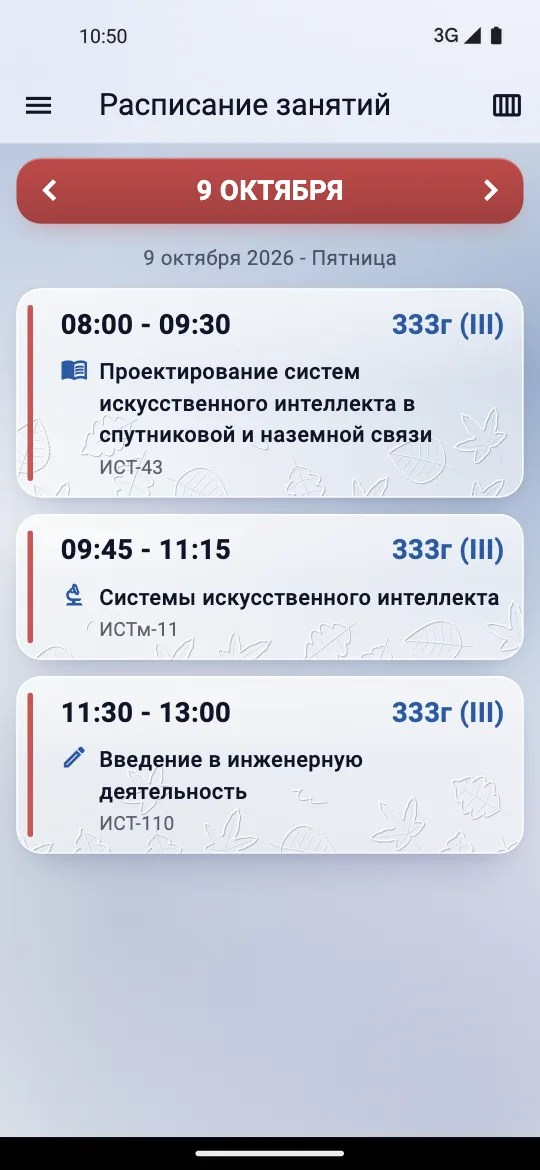
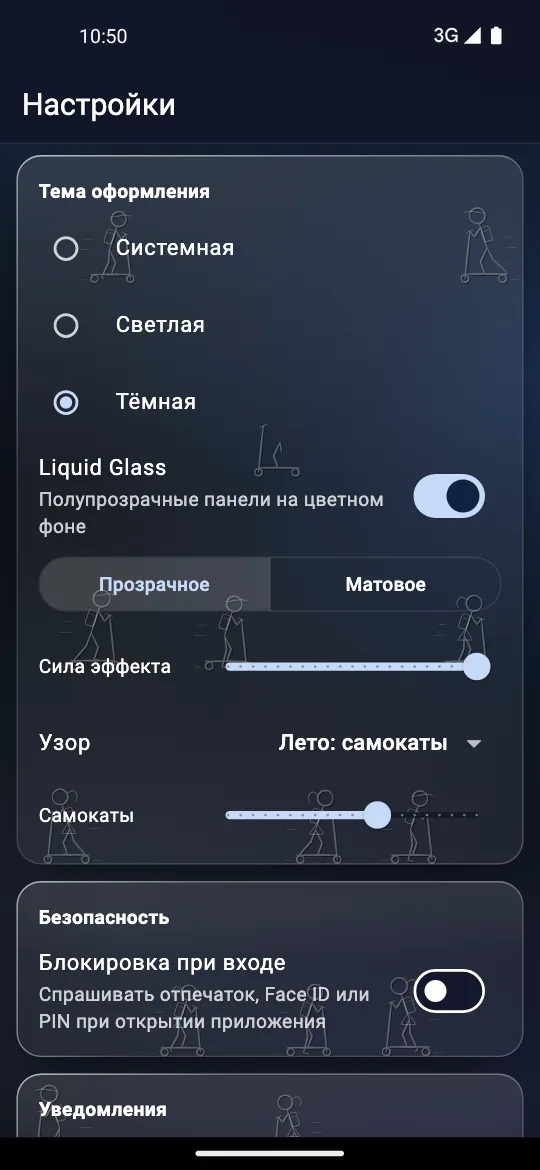
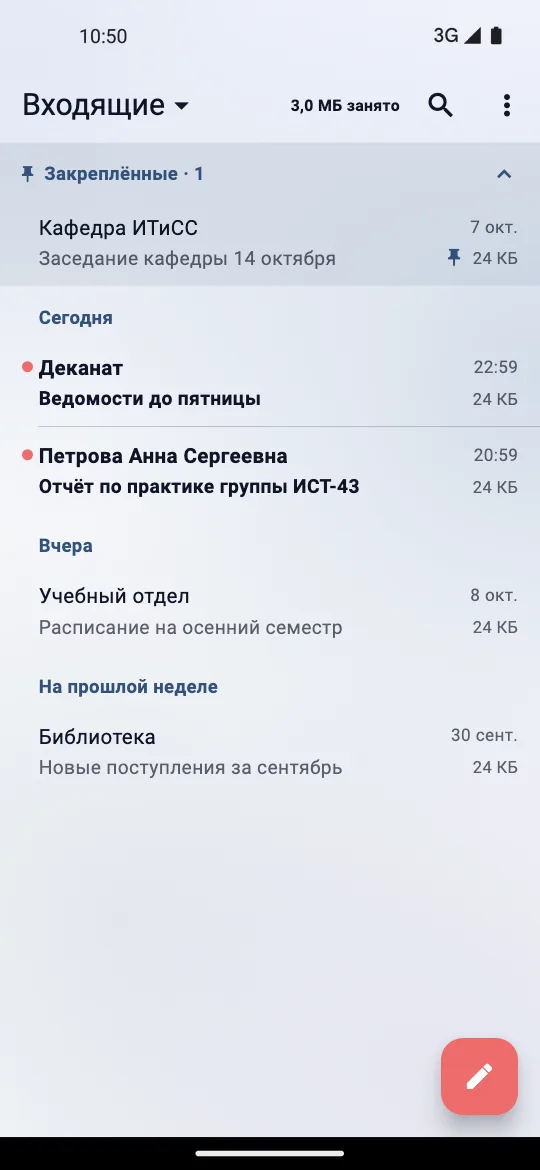
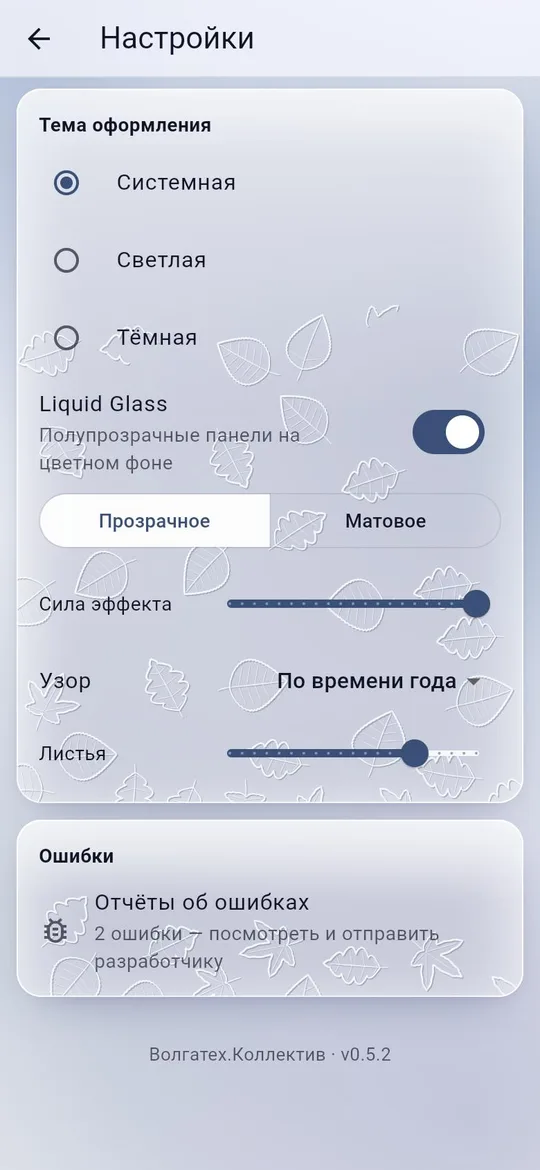
Version 0.5.3 of Volgatech.Kollektiv is devoted entirely to appearance. Settings gained a «Liquid Glass» theme: cards, the top bar and the menu become translucent glass over a soft coloured background. The theme first appeared in the browser version, went through several kinds of glass and patterns in four days and then moved into the Android app. This breakdown is about how it is drawn and how it is checked that text over the glass can still be read.
Glass that does not get in the way of reading
The first version of the theme was restrained. Each page lies on its own background, placed by where the page is in the window: on a computer it runs unbroken under the menu and the panes, and a new page slides in over a background that stays put. Blur is used only on the drawer — the one panel that comes over content: blurring a plain gradient costs the browser and changes nothing on screen. Dialogs and menus stay solid, and cards lose their shadow, which would show through the glass as a haze.
For anyone who asked the system to reduce transparency or increase contrast, the theme shows ordinary solid panels by itself, and the switch in Settings explains why.
The second version made the glass visible: soft blobs of colour behind see-through panels, a bright rim, a sheen along the top edge and a shadow only outside the panel. The palette is businesslike — steel, slate and the brand’s muted blue rather than a pastel rainbow. Text on all of it keeps a contrast of 7:1, and quieter text 4.5:1, on any part of the background. A test checks this: every text colour is checked against every part of the background.
Effect strength
The «Сила эффекта» (effect strength) slider takes the glass smoothly from full transparency to a solid panel: the background calms down, and blur, rims, sheen and shadows fade. Panels are mixed with premultiplied alpha, so a dark panel does not turn grey halfway. The contrast tests run at five slider values: 100, 75, 50, 25 and 0%.
Matte glass
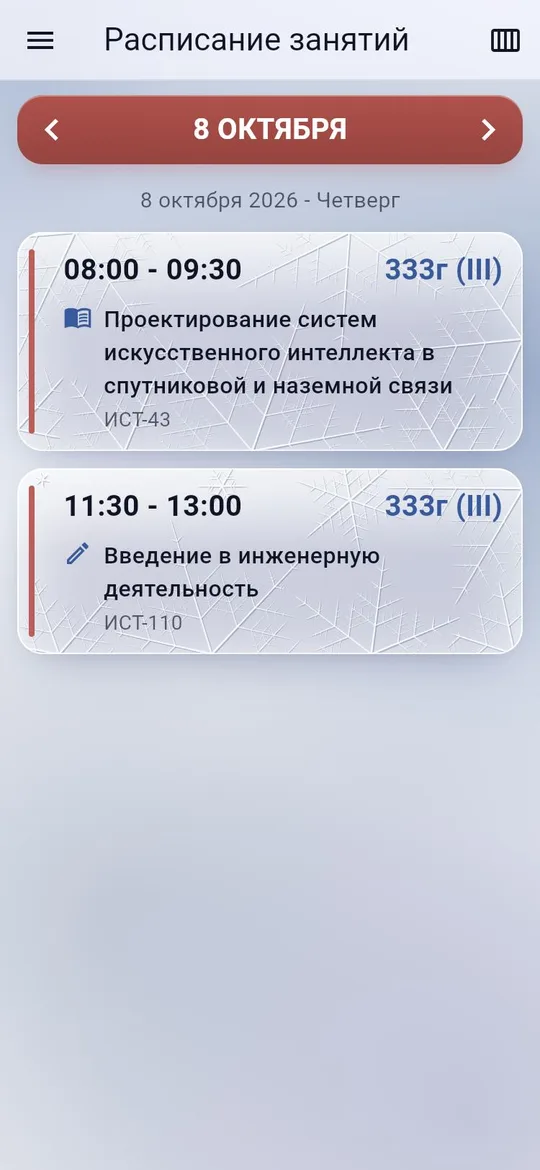
Clear glass over coloured blobs can look like a smudged screen. So there is a second option — matte glass: an even steel background, a fine grain and a pattern on top. The grain is laid at half a logical pixel so that it stays fine on a sharp screen, and it is held still against the window, while the cards’ own texture moves with them.
The pattern on matte glass went from scratches to frost in a few iterations. First came scratches, cut as grooves — with a shaded wall towards the light and a lit one away from it — and, with heavy wear, cracks spreading like a star from an edge. Then etching in spirals: logarithmic volutes with evenly spaced turns. Then frost, as on a window in winter.
Frost as a fractal
The final frost is made of snowflakes drawn as a fractal. A crystal has six identical arms 60° apart; each arm has four pairs of branches at 60°, shorter towards its tip; and each branch repeats the same thing, smaller — three times over. Large crystals grow first, centred on the edges of the card, most often at the bottom and seldom at the top, so the frost creeps in from the frame. Small snowflakes fill the remaining room — and only where a whole snowflake fits, with no stubs of arms.
The main rule of growth is borrowed from real frost: crystals grow in the order they would grow, and a branch that comes closer than 3 pixels to another crystal’s ice stops there. Crystals meet without crossing, and the middle of the card stays the clearest. Tests pin this down: arms come from one centre 60° apart, large crystals sit on an edge, branching goes at least four levels deep, and the ice of different crystals comes no closer than 3 pixels.
Each card’s pattern is seeded by its content and only grows as the slider moves: a branch can appear and lengthen, but not jump elsewhere. So the slider does not shuffle the picture but seems to wind time forward. And contrast is checked over the thickest ice — on clear glass too.
A pattern for the season
The last step turned the frost into one of four patterns drawn the same way — in fine raised lines that grow with the slider and do not cross:
- autumn — maple, birch and oak leaves piling up along the bottom;
- winter — the fractal frost;
- spring — a meadow of daisies, blossoms and tulips;
- summer — schoolchildren with backpacks on kick scooters.
The pattern follows the date or is picked by hand, and the slider under it is named after it: «Листья», «Иней», «Цветы», «Самокаты» (leaves, frost, flowers, scooters). The saved amount of the pattern kept its old settings key, so nobody’s setting was lost.
Conclusions
- A decorative theme is checked as strictly as functionality: text contrast on every part of the background, at every effect strength and over the thickest ice.
- Transparency is not for everyone. The system settings “reduce transparency” and “increase contrast” win over the theme automatically.
- An effect is worth spending where it shows: blurring a plain gradient costs resources and shows nothing.
- A procedural pattern looks natural if it grows by nature’s rules: in order, and stopping at another crystal’s ice — then crystals meet instead of overlapping.
- A pattern seeded by a card’s content that only grows turns the slider into an axis of time rather than a generator of random pictures.
Availability
The theme is switched on in Settings → «Тема оформления» → «Liquid Glass» — in the Android app from version 0.5.3 and in the browser version.
- Browser version: konkin-nikita.ru/volgatech.corp
- APKs for Android: github.com/nikita-konkin/volgatech.corp/releases
- Source code: github.com/nikita-konkin/volgatech.corp
Tags
More project updates
Volgatech.Kollektiv: Updates From Inside the App, a Version for iPhone and Computers, Reminders and a Widget
Versions 0.5.1 and 0.5.2: the app offers its own updates and checks the file before installing, runs in a browser — on an iPhone without the App Store and on a computer in a lay...
Volgatech.Kollektiv: A Mail Client of Its Own for the University's Exchange
In version 0.5.0 «Почта» (Mail) became a built-in client instead of the web mail in an in-app window. The university's mail is an on-premises Exchange without OAuth, so the clie...