Volgatech.Kollektiv: Updates From Inside the App, a Version for iPhone and Computers, Reminders and a Widget
Versions 0.5.1 and 0.5.2: the app offers its own updates and checks the file before installing, runs in a browser — on an iPhone without the App Store and on a computer in a layout of its own — reminds of lessons, shows the next lesson in a widget, notifies of new mail and keeps error reports on the device only.
After the built-in mail, two versions came out within a week. They answer three questions that had stayed open: how to update an app that is not in a store, how to use it on an iPhone, for which there is no signed build, and how to make the schedule remind of itself. The screenshots show made-up data.
Updates without an app store
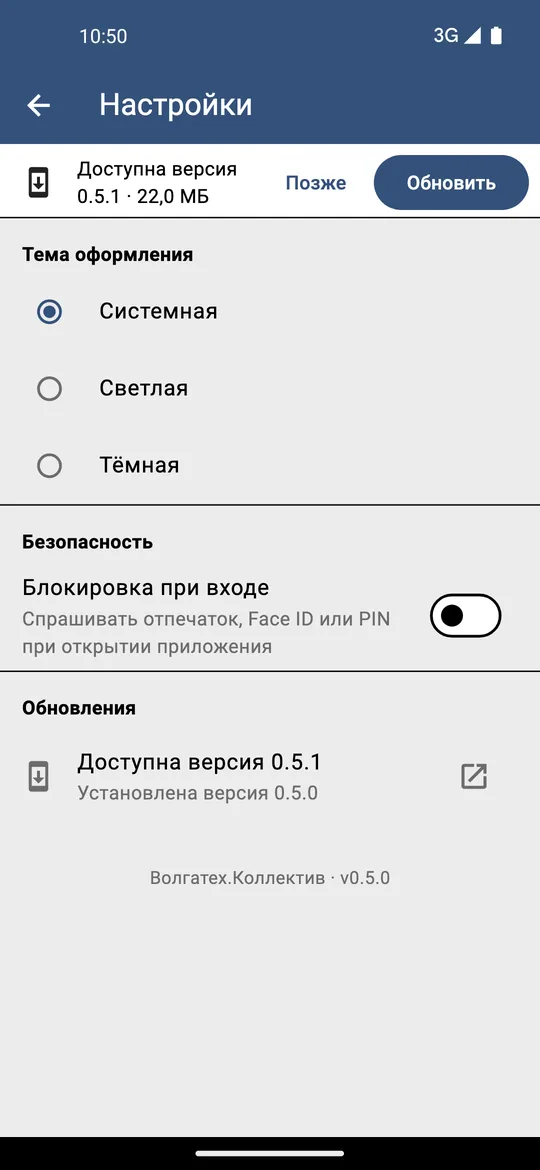
The app is distributed as APK files from the releases page, and before version 0.5.1 one could learn of a new version only by going there. Now the app asks GitHub for the latest release itself — on start and on coming back, at most once every six hours. If the version is newer, a banner «Доступна версия X · N МБ» (version X available) appears over the open screen.
«Обновить» (Update) downloads the APK for exactly this build — with or without the built-in mail, for the right CPU type, which the app learns from its own version code. Before installing, the file is checked against the size and SHA-256 that GitHub publishes, and only then handed to the Android installer. The installer in turn accepts the APK only if it is signed with the app’s own key, so the update cannot be swapped for someone else’s file.
An iPhone without the App Store
The app has an iPhone build, but signing and publishing it requires a paid Apple developer account. The way around turned out to be in Flutter itself: the same app is built for the browser, opens in Safari and is added to the Home screen as an app of its own, with its own data. The site is published on GitHub Pages and on GitVerse and rebuilt with every change to the app, so there is nothing to update.
For the browser version to behave like the real thing, several gaps had to be closed:
- Safe areas of the screen. Safari reports the notch, the Dynamic Island and the home indicator through CSS
env(), while Flutter’s web engine leaves them at zero. The app reads them itself, in landscape too. - Nothing from other servers. The Roboto font and the Flutter engine are served from the site itself, so no request goes to Google.
- Starting without a network. A service worker keeps only the app’s own files and never the answers of the university’s API. The first version worked offline only from the second visit: on the first, the page loaded before the worker was there to see it. Now the running app hands the worker the list of files it has loaded, and one visit is enough.
- A loading splash. While the engine loads, a logo and a progress bar by start-up step are shown. After 8 seconds the splash says the connection is slow; after 30 it offers to reload the page.
Every screen is checked by tests at the size of every iPhone, from the first SE to the 17 Pro Max, and in landscape, with the real font: nothing runs off the edge or hides under the status bar. That is how a .docx button was found that split a word on a 320-point screen.
The browser version has honest limits. Mail opens as the web mail in a new tab: the mail server does not let a web page talk to it, so there is no built-in client in the browser. There is no Face ID lock, no reminders, no widget and no mail notifications: a web page cannot wake up at a set time.
A computer
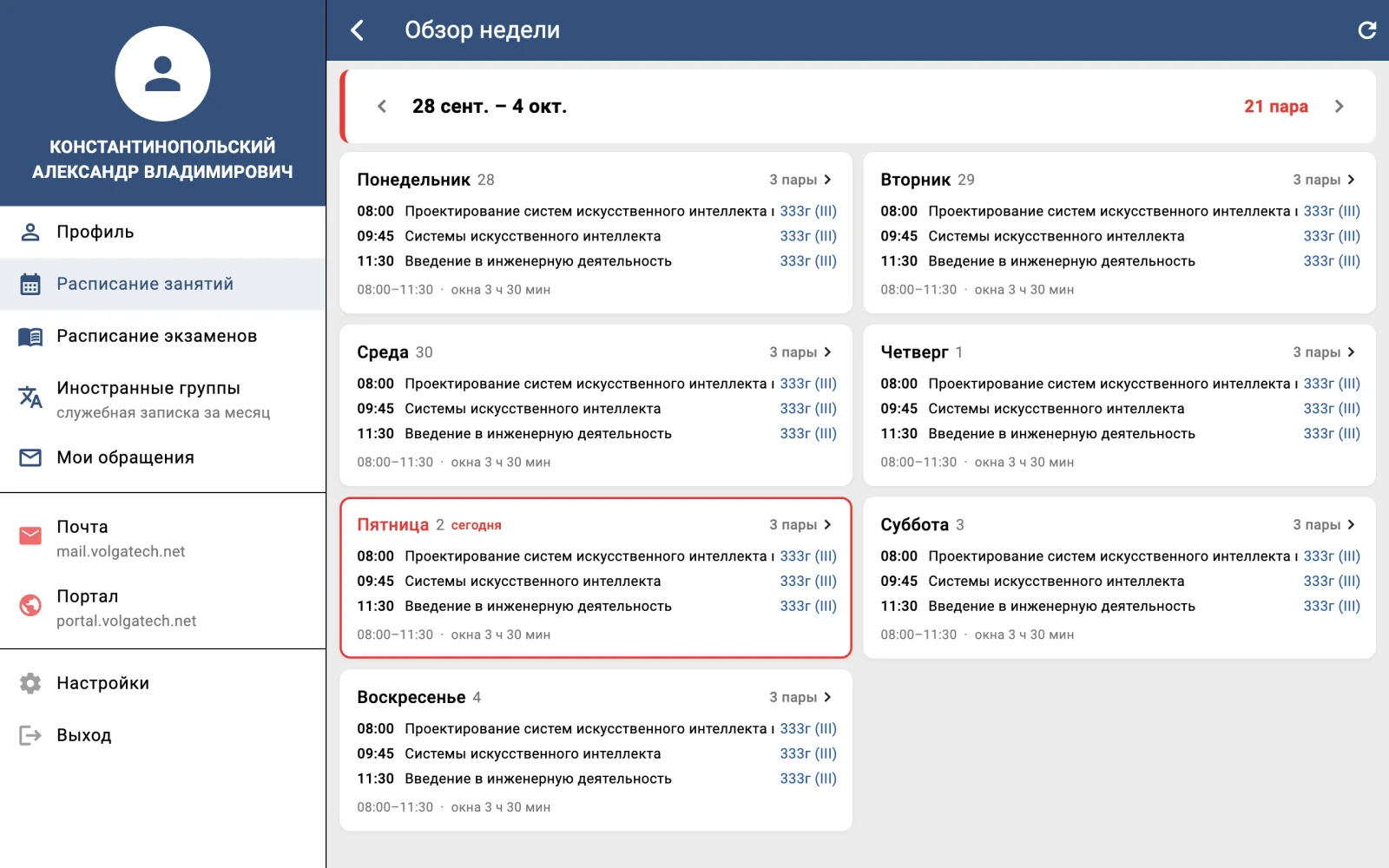
The same site opens on a computer as well. In a window 1,000 pixels wide or more, the menu stays open on the left and screens switch beside it, keeping their state. Lists keep to a readable width, the week overview lays the days out in a grid, and the ← and → keys page through the day, the week and the month. In Chrome and Edge the site can be installed as an app of its own.
A schedule that reminds of itself
- «Сегодня» (Today) brings you back to the current day from any other day or week.
- «В календарь» (To calendar) exports the week’s lessons or the exams as an
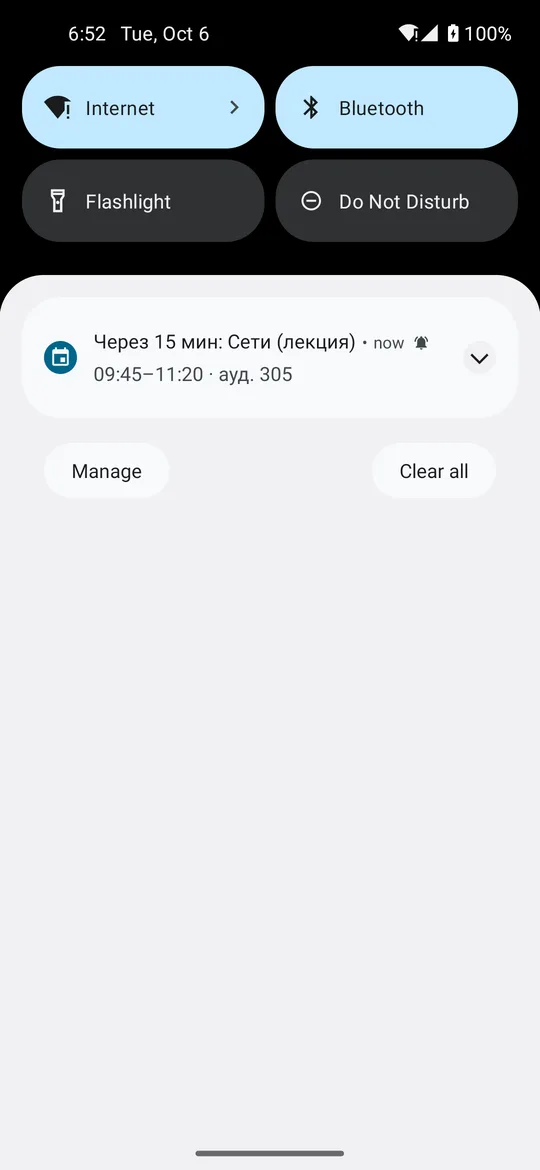
.icsfile for Google Calendar, Outlook or the iPhone’s calendar. The file follows RFC 5545: times are converted to UTC from Moscow time, lines are folded at 75 bytes without cutting a letter in two, and a lesson shared by two groups is one event. Event identifiers stay the same from one export to the next, so importing again updates the calendar rather than doubling it. - Reminders 10, 15 or 30 minutes before a lesson — with the subject and the room. They are planned from the loaded weeks, no more than two ahead, on Android’s exact alarms, and survive a reboot of the phone. On the emulator they arrived on time to the second.
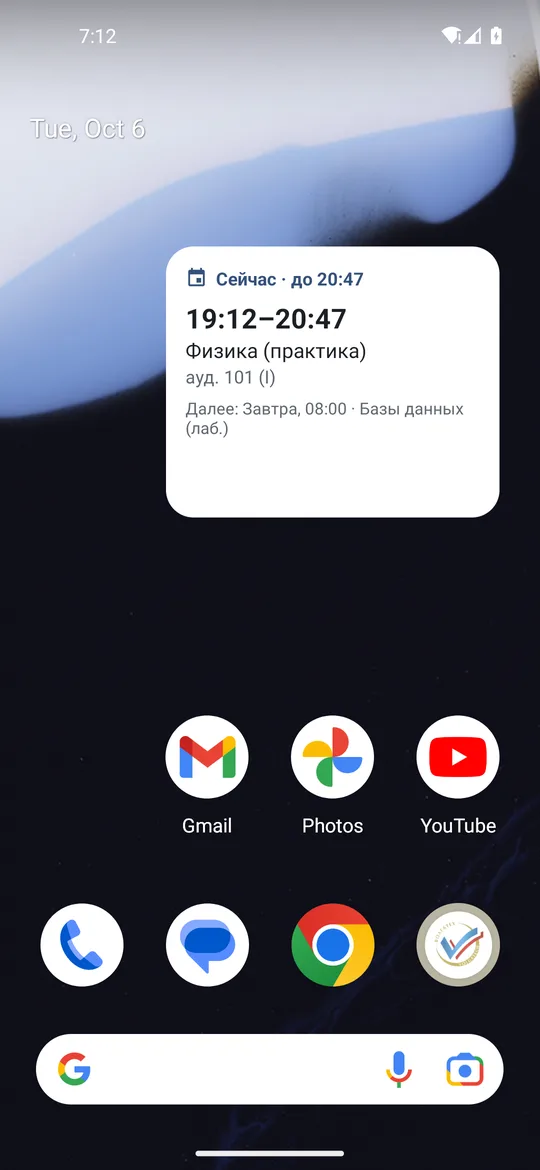
- The «Ближайшая пара» widget shows the current or next lesson and the one after it, and moves on by itself when a lesson ends — on an alarm that does not wake the phone.
Signing out now also clears both the widget and the scheduled reminders.
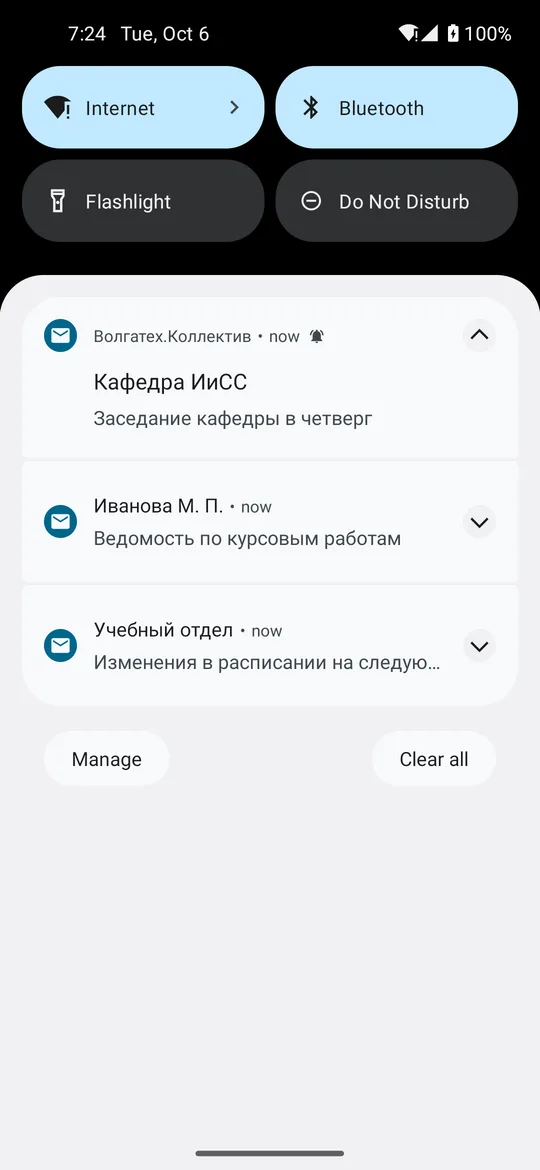
The build with the built-in mail gained notifications of new mail. Android checks the inbox every 15 minutes — the system allows nothing more frequent — even with the app closed, with one light request for the twenty newest messages. A notification goes only to an unread message that arrived after the newest one already shown, and only once: turning the feature on does not dig up old mail. If the server rejects the password, the app forgets it, so that background checks never bring the account closer to a lockout.
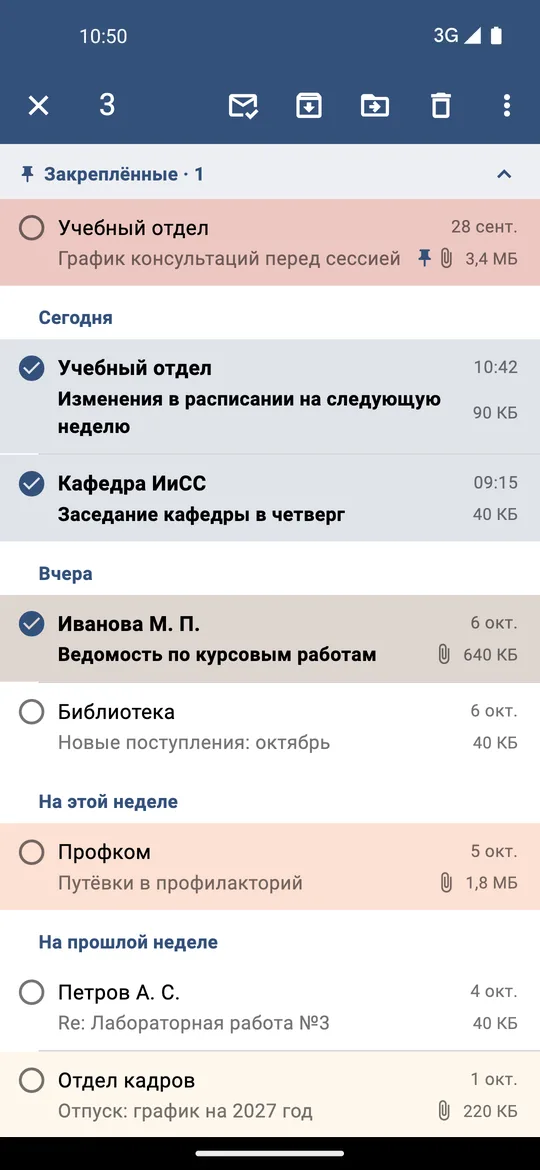
Several messages can now be picked at once and marked, moved, archived or deleted — with a single «Отменить» (undo) for all of them. Pinning uses Outlook’s own pins, so it shows in the web mail too. Pictures, PDFs and text attachments open right in the app.
Error reports
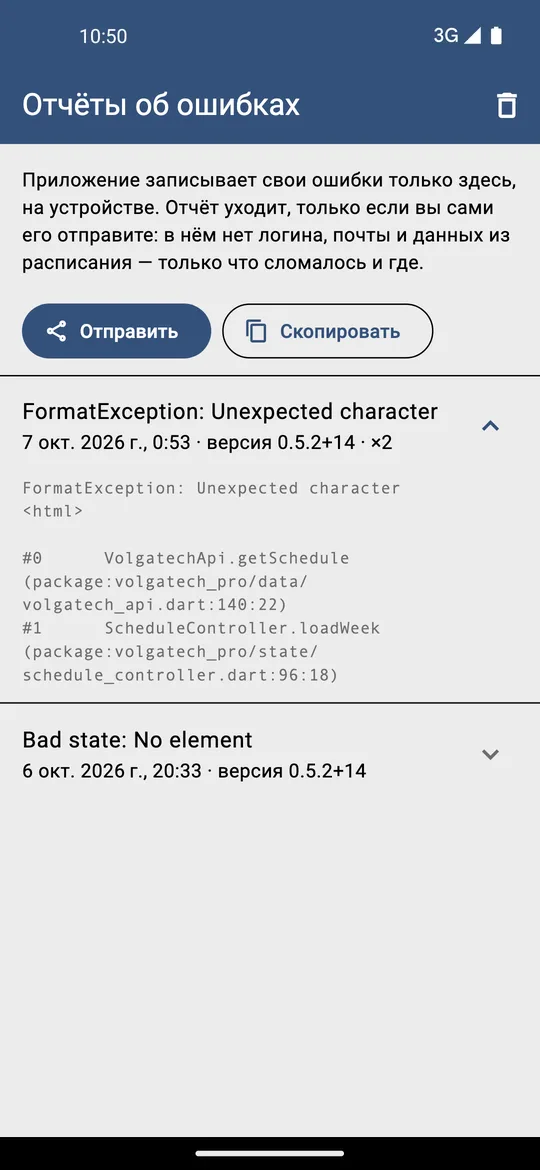
The app’s errors are now recorded — but only on the device itself, the last twenty. Settings shows them with the version, how often they occurred and where in the code, and they can be sent to the developer only by hand: through the Share menu on Android or by copying in the browser. Before that, addresses, tokens and long numbers are taken out of the report, so it holds no login, no mail and no schedule data.
Conclusions
- An update outside an app store is safe when it is checked twice: the file against the published size and hash, and the installer accepting only the app’s own signature.
- A cross-platform framework offers a way around a platform closed to distribution: a browser build on an iPhone needs no developer account.
- A browser version is honest when its limits are named outright: no notifications and no built-in mail — because a web page cannot do that.
- An offline cache is worth testing on the very first visit: that is exactly when the worker has seen nothing yet.
- Background work should be more careful than foreground work: a mail check that forgets a rejected password will not drive the account into a lockout.
Availability
- Browser version: konkin-nikita.ru/volgatech.corp
- APKs for Android: github.com/nikita-konkin/volgatech.corp/releases
- Source code: github.com/nikita-konkin/volgatech.corp
Tags
More project updates
Volgatech.Kollektiv: Liquid Glass — Glass, Frost and Patterns of the Seasons
How the app gained its «Liquid Glass» theme: translucent panels over a coloured background, matte glass, frost made of fractal crystals and a pattern for the season — leaves, fr...
Volgatech.Kollektiv: A Mail Client of Its Own for the University's Exchange
In version 0.5.0 «Почта» (Mail) became a built-in client instead of the web mail in an in-app window. The university's mail is an on-premises Exchange without OAuth, so the clie...