Volgatech.Kollektiv: A Mail Client of Its Own for the University's Exchange
In version 0.5.0 «Почта» (Mail) became a built-in client instead of the web mail in an in-app window. The university's mail is an on-premises Exchange without OAuth, so the client needs a password — and so far the app had done without one. How this was resolved, how the NTLM sign-in works and what the client can do.
Before version 0.5.0, «Почта» (Mail) in Volgatech.Kollektiv opened the web mail inside the app. It worked, but it remained a website in a window: no unread badge, no gestures, and a layout made for a computer. On 30 September a version with a built-in mail client came out. The screenshots here and below show made-up messages and addresses.
A password that was needed after all
In the first breakdown, one of the app’s rules had its own section: “A password that is not there”. The app keeps only tokens, and signing in to mail and the portal happens on those sites themselves. The built-in client breaks this rule, and there is no way around it.
The university’s mail is an on-premises Exchange, not Microsoft 365. It has neither OAuth nor the Graph API: a client can sign in only with the mail password. So the solution is arranged for the password to appear only for those who chose it themselves:
- the built-in client comes in a separate build. Every release contains two sets of APKs of the same app:
app-mail-*with the built-in mail and the plainapp-*, where mail still opens as the web version; - both builds carry one signature, so either installs over the other, and going back to the web version is possible at any time;
- the password is kept in the operating system’s secure storage and removed by «Выйти из почты» (sign out of mail).
The release workflow builds both sets and checks the signing certificate of every APK before publishing — just as it has done for the plain build since version 0.4.2.
Signing in with NTLM
The client talks to the server through Exchange Web Services, and sign-in over HTTP there uses NTLMv2. The handshake is implemented in the app itself, following the MS-NLMP specification. Only its authentication part is needed: HTTP requires no message signing or sealing, so no session key is negotiated.
Home-made cryptography is a place where an error stays invisible until the server refuses the sign-in. So the tests check the computations against the example in the specification itself: the NTOWFv2 hash, NTProofStr and the LMv2 response must match the published values byte for byte. It is also checked that a login of the form DOMAIN\user is split into domain and user name, while an address of the form user@domain is passed whole.
A list that looks like Outlook
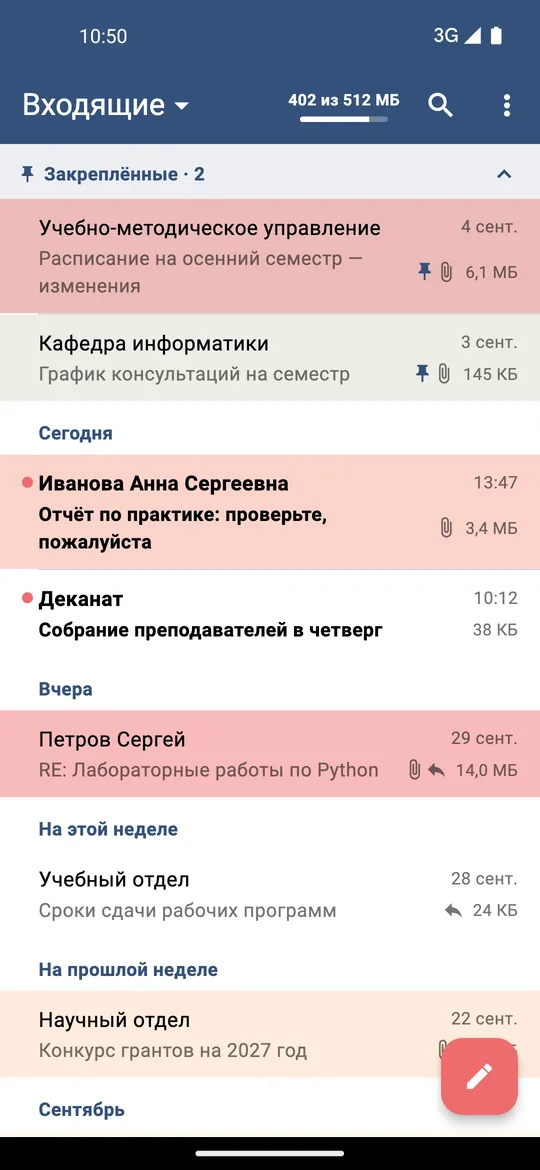
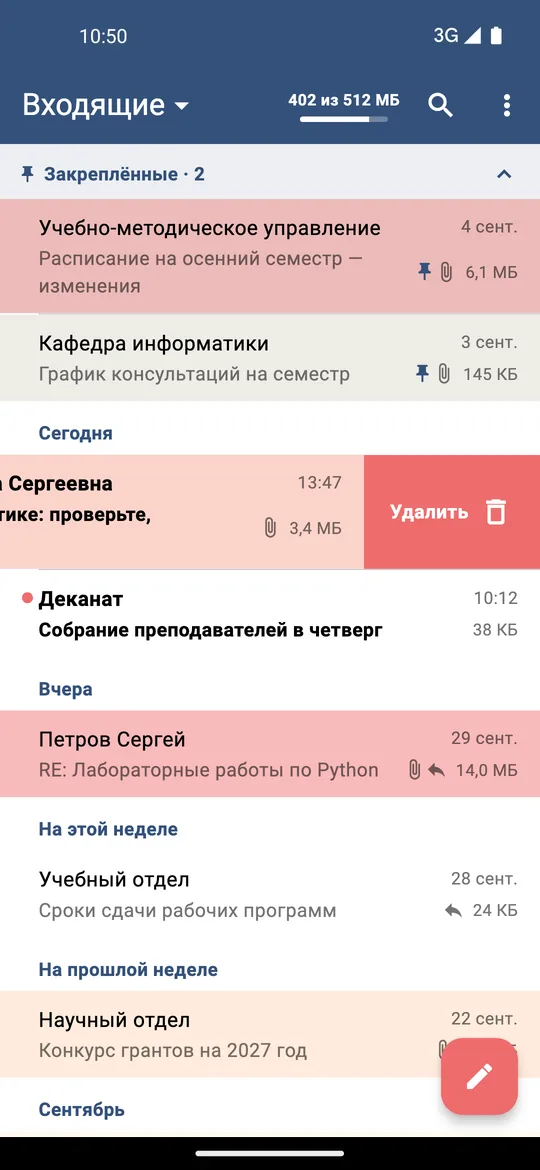
The message list follows what Outlook users are used to: headings for today, yesterday and this week, dots on unread messages, and messages pinned in Outlook gathered on top in a folding group. There is search, a folder picker with unread counts and pull to refresh; the first page is kept and opens without a network. The unread count is shown as a badge on «Почта» and on the menu button.
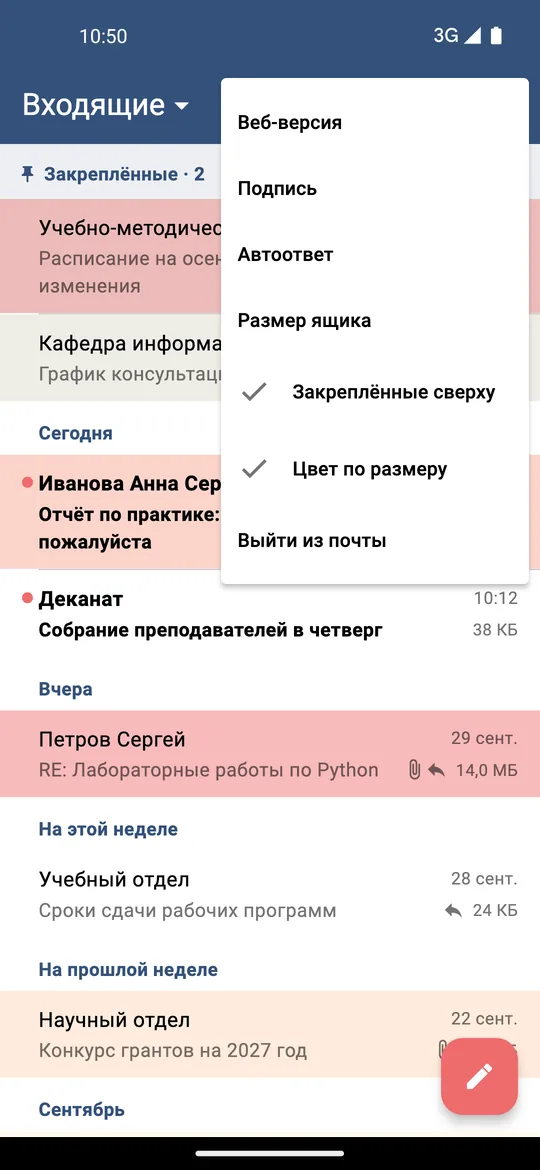
The university mailbox is limited in size, so every message shows its size, and its row is tinted by it: pale yellow from 100 KB, orange at 1 MB, red from 10 MB. The scale is a sequential palette from yellow to red, so a large message stands out without reading the numbers. The colour and the pinned group can be switched off in the menu.
Reading without being tracked
HTML messages are shown in an isolated page with a content security policy: scripts are forbidden, and so are remote loads. This disables tracking pixels and remote images — a message does not tell its sender that it was opened. Only inline styles and embedded images are allowed: pictures that a message references through cid: are embedded right into the page. Plain text is escaped and shown as is.
Attachments can be opened, saved to the phone or shared with another app; the sender line shows everyone on the message; a message can be moved to another folder.
Writing, auto-reply and mailbox size
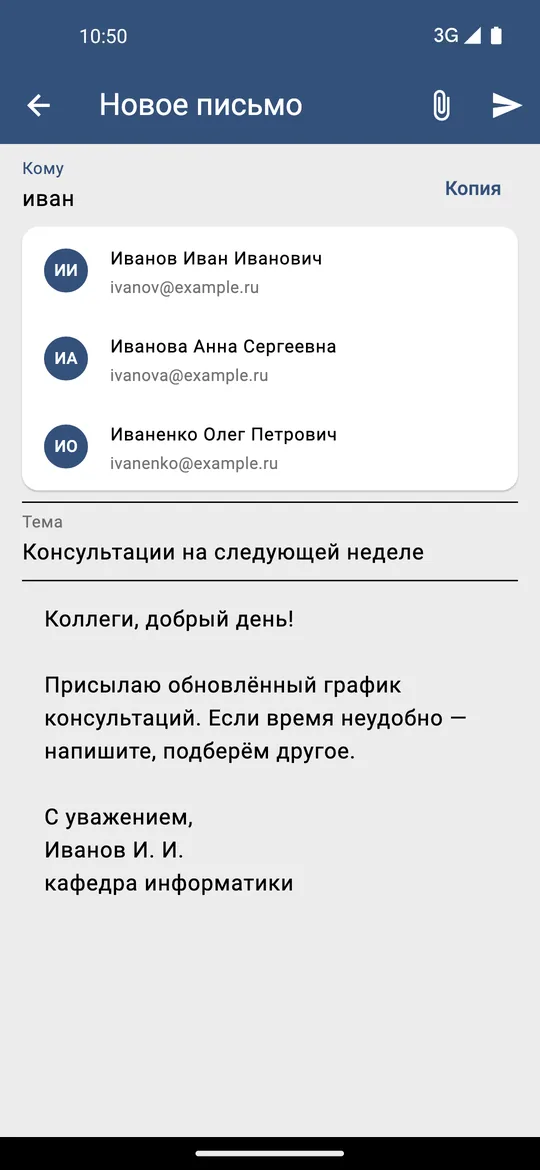
Reply and forward, suggestions from the university address book in the To and Cc fields, attachments up to 18 MB. The signature is imported once from the web version. After pressing Send there are five seconds to change one’s mind, and unsent text is kept as a draft.
«Автоответ» (auto-reply) is set on the server, as in Outlook, so it works with the phone switched off.
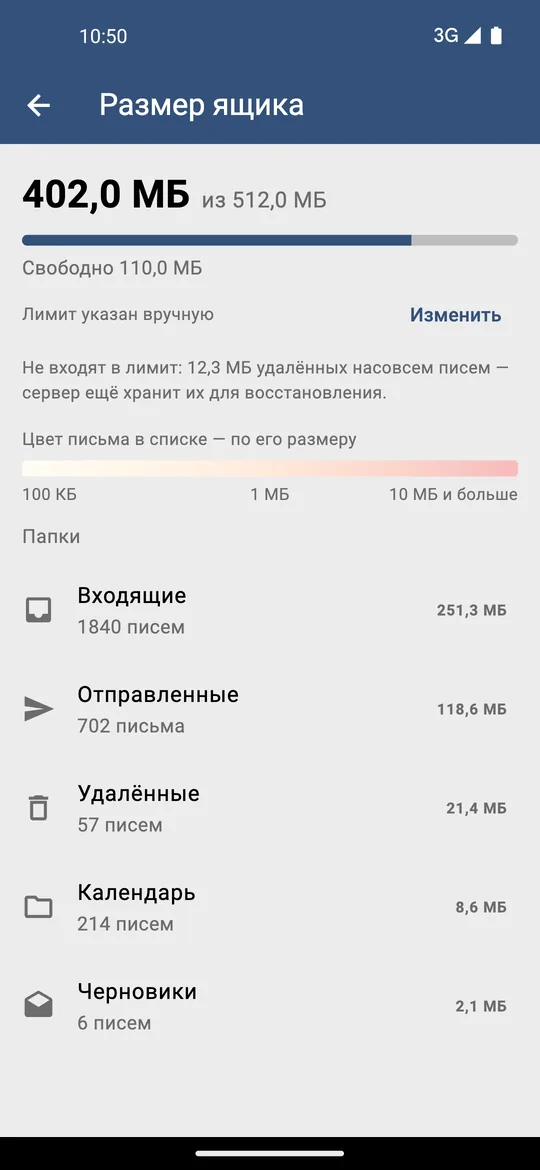
«Размер ящика» (mailbox size) shows the space used by each folder, and a fill bar is visible next to the inbox. Two quirks of the server had to be taken into account here. The server keeps permanently deleted messages for a while for recovery, but they do not count toward the limit — and the app shows them on a separate line instead of adding them to the space used. The server also does not tell the app the limit itself, so it can be typed in once, copied from the web version.
Next
The next steps are notifications of new mail and pinning messages from the app itself. The plain builds with the web mail stay in every release.
Conclusions
- The principle “the app does not store a password” should be broken only explicitly: in a separate build that a person chooses, with the password in the OS’s secure storage and a clear way to remove it.
- One signature on two builds makes the choice reversible: either installs over the other.
- A home-made protocol implementation is checked against the examples in its specification: otherwise an error in a hash looks like “wrong password”.
- A mail client that loads no remote resources does not tell the sender that a message was read. Such protection is worth building in from the first version.
- Server data should be shown the way the server counts it: deleted messages that do not count toward the limit must not be added to the space used.
Availability
The app is distributed as APKs for Android. For most modern phones the right ones are:
app-mail-arm64-v8a-release.apk— with the built-in mail client;app-arm64-v8a-release.apk— with the web mail, as before.
Links:
- Latest release: github.com/nikita-konkin/volgatech.corp/releases
- Source code: github.com/nikita-konkin/volgatech.corp
Tags
More project updates
Volgatech.Kollektiv: Liquid Glass — Glass, Frost and Patterns of the Seasons
How the app gained its «Liquid Glass» theme: translucent panels over a coloured background, matte glass, frost made of fractal crystals and a pattern for the season — leaves, fr...
Volgatech.Kollektiv: Updates From Inside the App, a Version for iPhone and Computers, Reminders and a Widget
Versions 0.5.1 and 0.5.2: the app offers its own updates and checks the file before installing, runs in a browser — on an iPhone without the App Store and on a computer in a lay...