Volgatech.Kollektiv: A Staff Cabinet App When the Server Is Off-Limits
A native mobile app for the Volgatech staff cabinet: a schedule that opens without a network, the foreign-groups memo in a single step, and a session that does not drop on a bad connection. All of it on the client, because the server stays as it is.
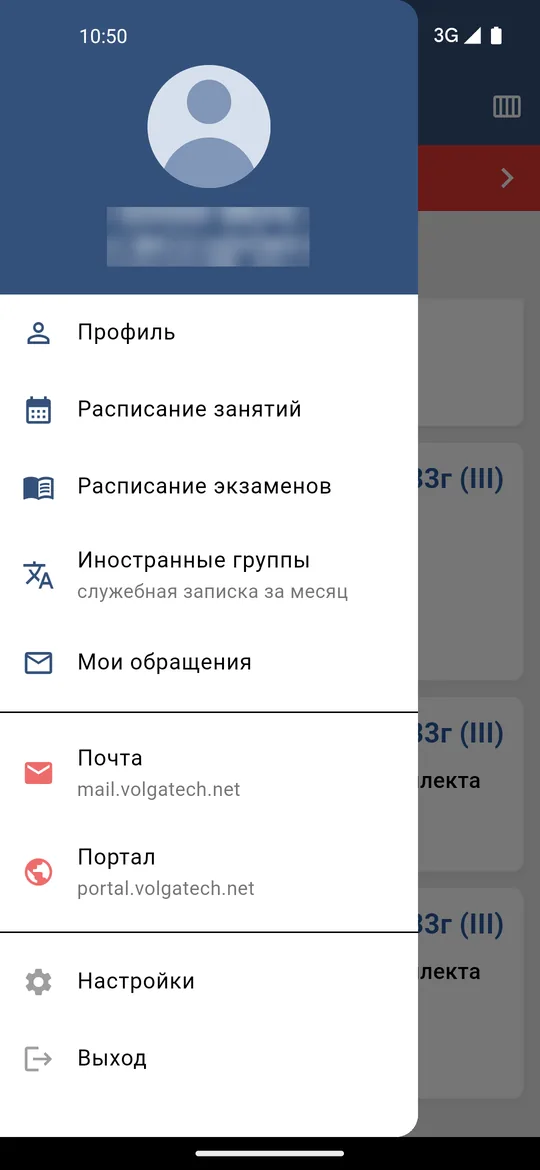
Volgatech.Kollektiv (“Volgatech.Staff”) is a mobile app for the staff cabinet of Volga State University of Technology (Volgatech): class and exam schedules, a profile, mail, the portal, and one bureaucratic duty described below. It is a personal project, not the university’s official app: it talks to the same API as the existing cabinet and changes nothing on the server.
The first version came out on 21 September; by the 24th there were eight. This breakdown is about the decisions behind them.
Why a rewrite
The goals were set from the start: fix the bugs, be fast, including on old phones, and build for both Android and iOS. The existing cabinet is built on a WebView, and on weak devices this shows in how the interface responds. The new app is written in Flutter and renders its interface natively; the build for a 64-bit phone is about 20 MB.
One constraint shaped everything else: the app is only a client. The server stays as it is, and whatever in its responses is inconvenient or imprecise has to be corrected on the phone — carefully, so that a correction does not create new errors.
One class, one card
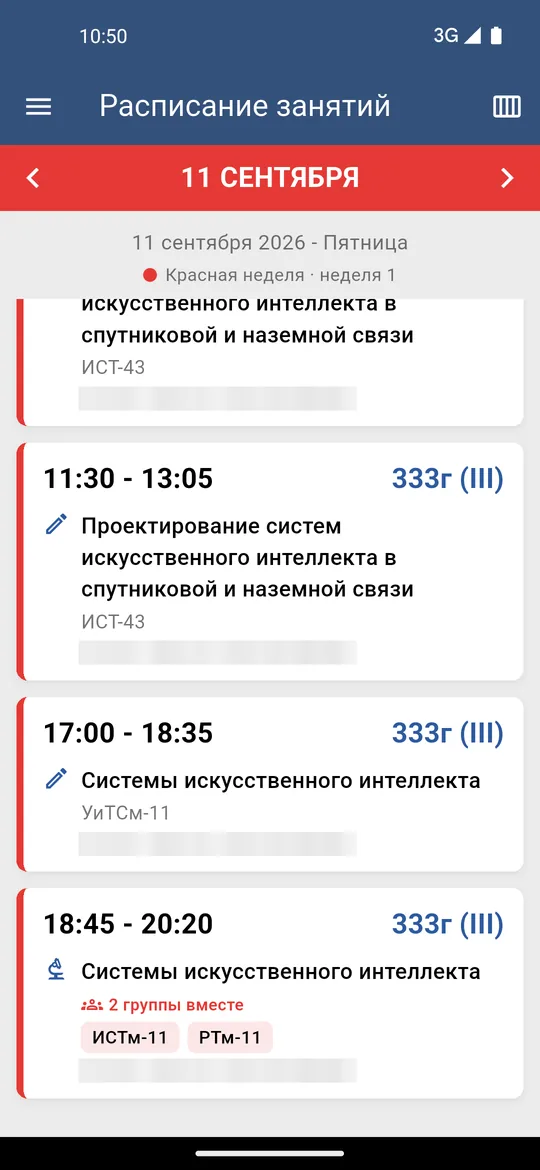
The first thing real data revealed: the API returns a separate event for each group. When two groups were taught together, in the same room at the same time, the schedule showed two identical cards.
The fix is to group events by a key that describes one physical class:
String _slotKey(ScheduleEvent e) =>
    '${e.timeBegin}|${e.timeEnd}|${e.building}|${e.room}|${e.description}|${e.typeWorkName}';
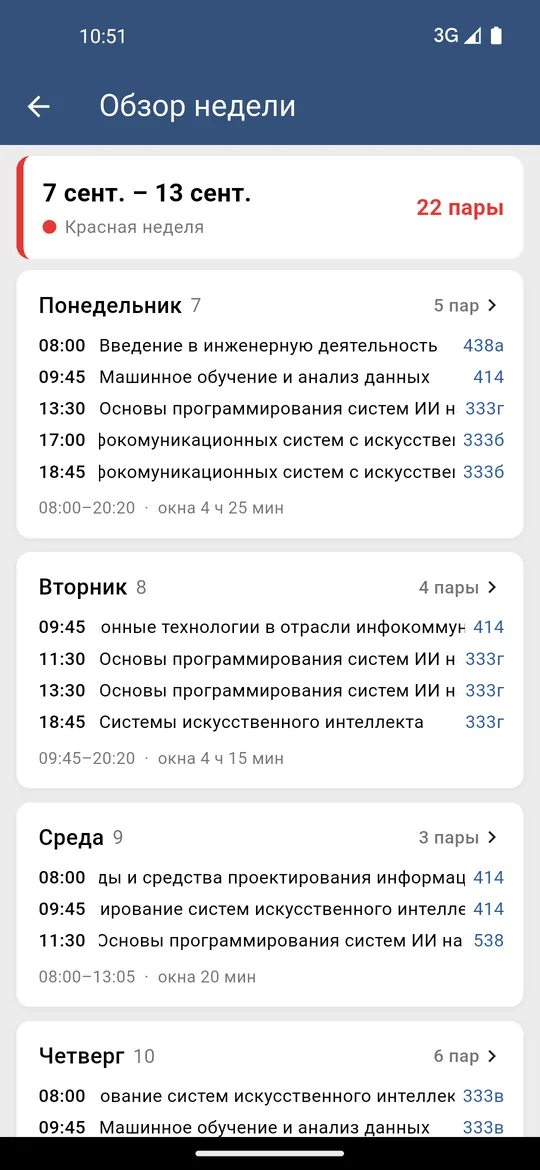
The key includes not only the time and place but also the course and the type of class. This matters: if two different courses are scheduled in the same room at the same time, that is not a shared class but a timetable clash, and such events must not be merged — the teacher has to see it. A shared class appears as one card marked “N groups together”, and the week overview counts classes by physical class rather than by event.
A Monday that became a Sunday
Times in the API’s responses carry a time zone: 2026-09-21T09:00:00+03:00. Standard parsing converts such an instant to the phone’s zone — and on a device not set to Moscow time, Monday’s classes ended up under Sunday.
But a timetable is not an instant; it is the time on the university’s wall clock. So the zone offset is dropped and the date and time are taken literally:
/// Parse an API timestamp (e.g. "2026-09-21T09:00:00+03:00") as WALL-CLOCK time,
/// ignoring the trailing timezone offset.
DateTime apiWallClock(String s) { ... }
A 09:00 class stays a 09:00 class on any phone — exactly as it is written in the timetable.
A schedule that does not wait for the network
In the first versions the saved copy of the schedule was read only after a request had failed, so every launch waited on the network. Now the order is reversed: the saved week appears at once, and a fresh one loads in the background and replaces it entirely — so that a cancelled class does not linger from the old copy. After a successful load, the next week is fetched in the background too.
Along the way it turned out that weeks had to be tracked independently. A slow response for one week could overwrite the state of another: the wrong week colour, a loading bar that vanished too early. Now each week has its own state — loaded, loading or failed — and going back to a week already loaded triggers no new request. Since a copy is already on screen, the connection timeout was cut from 40 to 10 seconds.
A session that survives a bad connection
The nastiest defect was a silent one. If a token refresh failed for a transient reason — no network, a timeout, a server error — the session was wiped, but the screen did not know. The app looked signed in while every request failed.
Now the session ends only when the server actually rejects the refresh token, and in that case the app returns to the sign-in screen with an explanation. A transient failure leaves the session alone. Requests that fail at the same moment — the profile and the schedule at launch, for example — share one token refresh rather than each starting its own.
The memo in one step
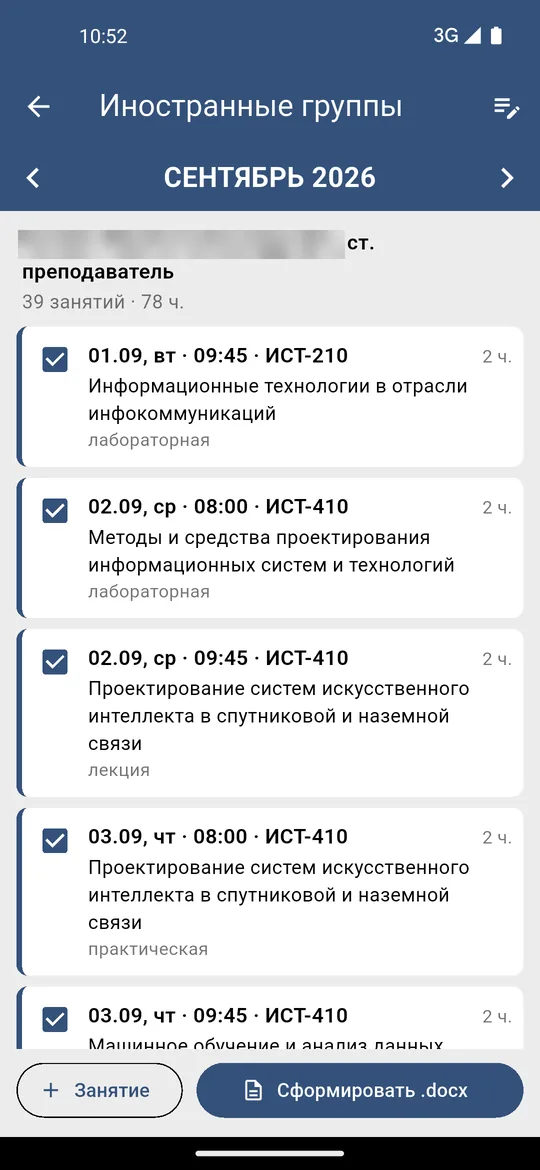
Once a month a teacher writes a memo about classes taught to groups of foreign students. Everything it needs is already in the timetable, so the app assembles the memo itself.
A foreign group is given away by its three-digit number, such as ИСТ-110:
final _foreignGroup = RegExp(r'^[А-ЯЁA-Z][А-ЯЁа-яёA-Za-z]*-\d{3}$');
Each such class becomes a table row of two hours; a class shared by several groups becomes one row; the last cell carries the month’s total, such as “2/78”. Classes can be unticked or added by hand, and course names shortened; the letterhead and signature are filled in once and remembered. During the first ten days of a month the previous month is selected by default — that is the month the memo is written for at that time.
The result is a .docx file in the portal’s own template, ready to share. The template was derived from a filled-in memo by a helper script: its fields are marked, the personal data is scrubbed, the table header repeats on every page, and rows are never split across a page break.
A password that is not there
The app stores the password nowhere. After sign-in, only the access and refresh tokens remain, in the operating system’s secure storage. Mail and the portal open inside the app, but signing in to them happens on those sites themselves, and the app keeps only their session cookie, never the credentials. Optionally, the app locks behind a fingerprint or a PIN.
One small detail from the same area shows how the client works. People often type their full corporate e-mail address into the login field, while the server expects only the account name. The app drops the domain, trims whitespace and lowercases the login — on its own side, asking nothing of the server.
An update the phone refused to install
The last defect was not in the code but in the release. Release builds were signed with the debug key, which every CI machine generates afresh. As a result each release carried its own certificate, and the phone refused to install an update over the old version: “App not installed as package conflicts with an existing package”.
Releases are now signed with one permanent key from the repository’s secrets. The release workflow refuses to publish without them and, before publishing, checks each APK’s SHA-256 certificate fingerprint against the expected one. Anyone who installed version 0.4.1 or earlier has to remove it once; from then on, updates install over the top.
Next
The iOS build is checked in CI on every change to the main branch, but a signed release needs an Apple developer account. The largest remaining feature is “Requests”: the menu item already exists, while the section itself — creating requests, comments and attachments — is still ahead. News and academic progress wait until it is clear in what form the API returns them.
Conclusions
- When the server cannot be changed, the client becomes the place where data is corrected. All the more reason for each correction to be exact: a shared class is merged, a clash is not.
- A timetable runs on the wall clock, not on instants. A time zone that is correct for instants is wrong here.
- A saved copy is only worth something if it is shown first. A cache read after a failed request speeds up no launch at all.
- The only thing worse than being signed out is a session that broke silently. A transient failure and a rejection by the server are different events and must be handled differently.
- The release is as much a part of the product as the code. A build with the wrong certificate will not install, however many fixes it contains.
Availability
The app is distributed as an APK for Android; for most modern phones, app-arm64-v8a-release.apk is the one to pick. The source is open.
- Latest release: github.com/nikita-konkin/volgatech.corp/releases
- Source: github.com/nikita-konkin/volgatech.corp
Tags
More project updates
Volgatech.Kollektiv: Liquid Glass — Glass, Frost and Patterns of the Seasons
How the app gained its «Liquid Glass» theme: translucent panels over a coloured background, matte glass, frost made of fractal crystals and a pattern for the season — leaves, fr...
Volgatech.Kollektiv: Updates From Inside the App, a Version for iPhone and Computers, Reminders and a Widget
Versions 0.5.1 and 0.5.2: the app offers its own updates and checks the file before installing, runs in a browser — on an iPhone without the App Store and on a computer in a lay...