ICT: Jobs That Survive a Restart, Windows XP in a Container and Deployment Without Manual Steps
Half a year of work on the ICT orchestrator: job events are kept in the database and survive a restart of the hub, the legacy program that computes absolute TEC runs in a real Windows XP inside a KVM container, images are built in CI and deploy themselves, and access is restricted and recorded in an audit log. At the end — what a code review and the linters found.
The June overview described ICT as a set of containerised services with a web orchestrator on top. Since then the orchestrator has gained a module for ionosphere maps, the subject of a separate breakdown. The rest of the work went into what is rarely visible from outside: making the platform usable every day without logging in to the server. That is 67 commits from April to September, merged into the main branch on 1 October. The web interface is called IonFlow («ИоноПоток» in Russian).
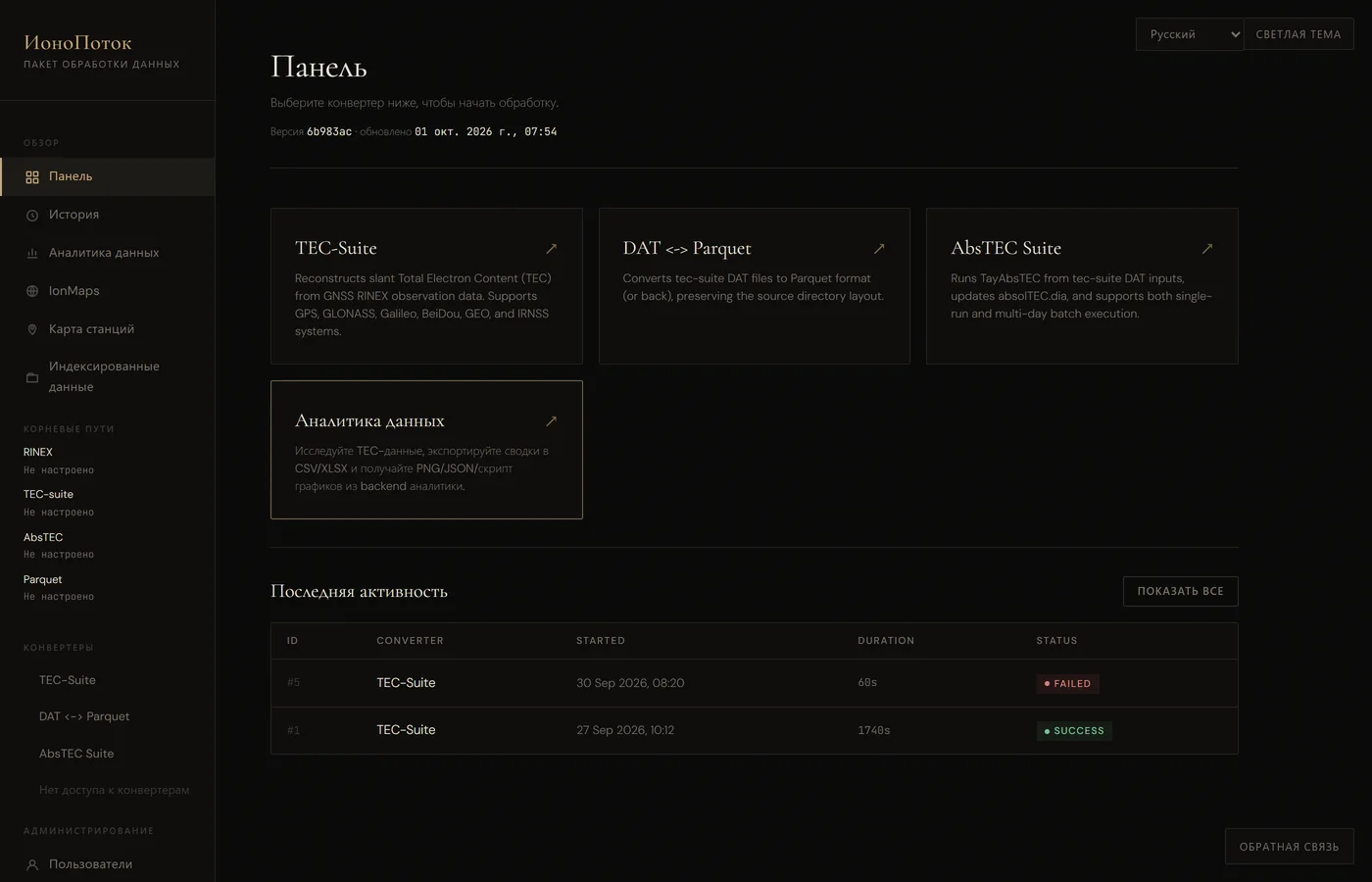
A job that survives a restart
A converter is a container that may run for hours, while the hub that started it gets updated and restarted. So a job’s events — log lines, progress and completion — are now written to the database first, and the browser receives them from there through Server-Sent Events. Reloading the page shows the last 200 lines of the log instead of the whole stream, and the database keeps only the latest log lines of each job — 2,000 by default — so that it does not grow without bound.
After a rebuild the hub finds the containers it started by itself. Every such container carries labels — the converter, the job number, the user — and the hub uses them to reattach to the job. A job started before an update stays in the list of runs, and its progress keeps reaching the browser.
Statuses needed separate attention. A job stopped by the user was recorded as failed and shown in red, like a real error. Now it has its own “stopped” status with a muted badge, and old records are migrated to it at startup. Along the way a race turned up: the container finishes while the stop command is still running, and the exit message could turn a stop by the user into “failed (143)”. Now the stop is recorded before docker stop is called, and the first terminal state written wins.
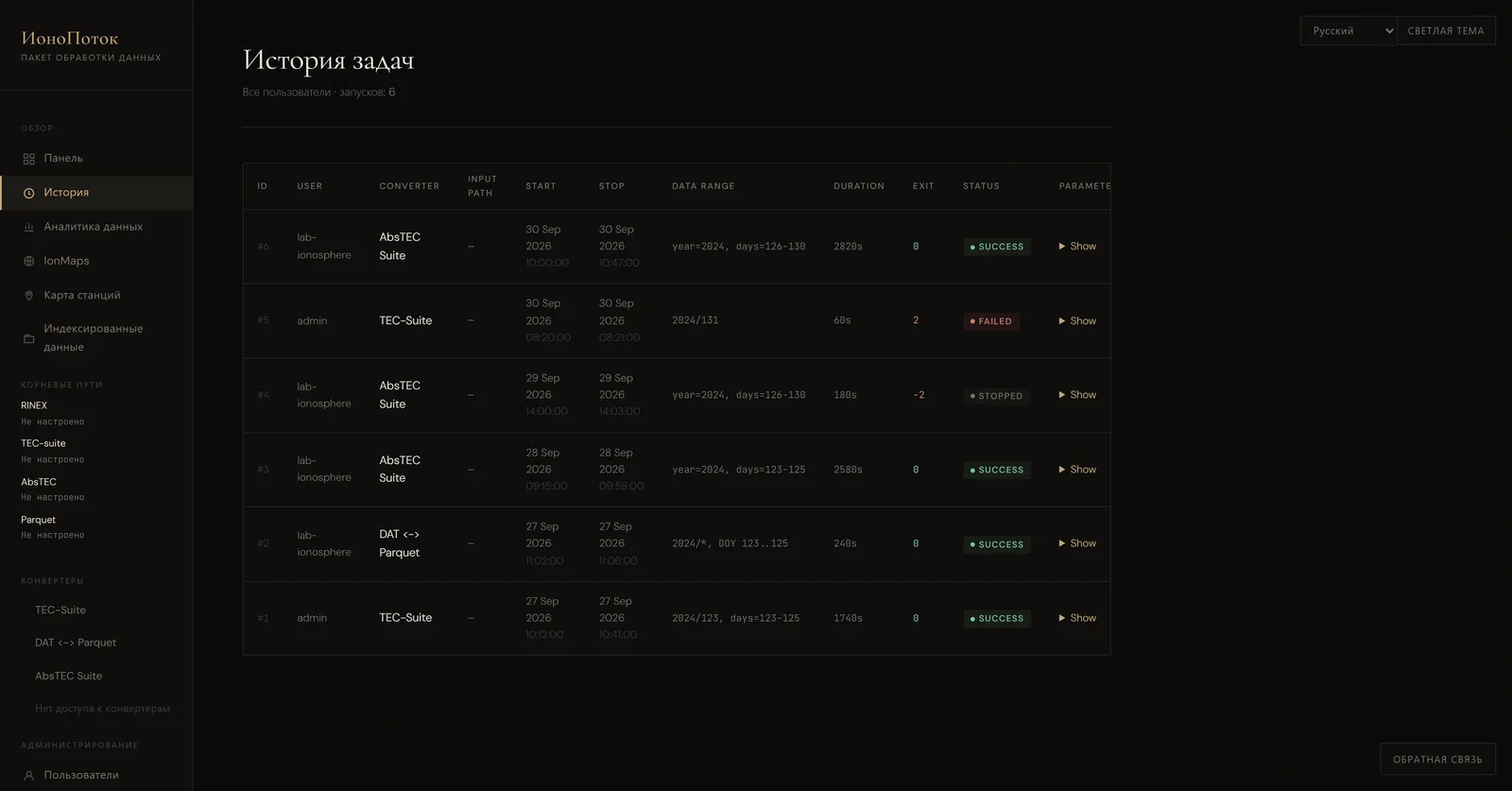
Another finding concerned the event stream. Response compression in the Starlette version in use also compressed text/event-stream, and the compressor held events back until its buffer filled. A running job’s log arrived in bursts or only at the end: the stream stayed silent for eight seconds while the container printed a line a second. Requests from EventSource now bypass compression. Finally, calls to the Docker API — listing containers, starting, stopping with a wait of up to 10 seconds — were moved off the event loop into a worker thread, so that they no longer hold up page rendering.
Windows XP in a container
Absolute TEC is computed by a legacy program, absolTEC.exe — a 32-bit application built for Windows XP. In June it ran under Wine. Now there is a second option: a real Windows XP running as a guest system in a KVM container based on dockur/windows. For the program this is its native platform.
The hub and the guest exchange work through a shared folder. The host writes a job folder, a watcher script inside XP picks it up, runs the program and writes the log and the exit code. The host reads the log as it is written and parses progress exactly as it does for Wine. If time runs out, the host asks the guest to end that particular copy of the program.
Within one run, stations can be processed in parallel, in slots. Each slot has its own working folder and its own copy of the program: concurrent runs must not share the settings file or the results folder. Whole jobs, however, XP runs no more than one at a time: the guest takes work from a single queue, and a second job would only wait in it and hit its timeout. Besides, the program names its results folder after the first four characters of the station name, so with parallel jobs the results of stations sharing a prefix could get mixed up. That is why each job first puts its results into a staging folder of its own.
If the XP container is stopped, the hub starts it by itself and warns: the system needs a minute or two to boot, so the timeout must have room to spare.
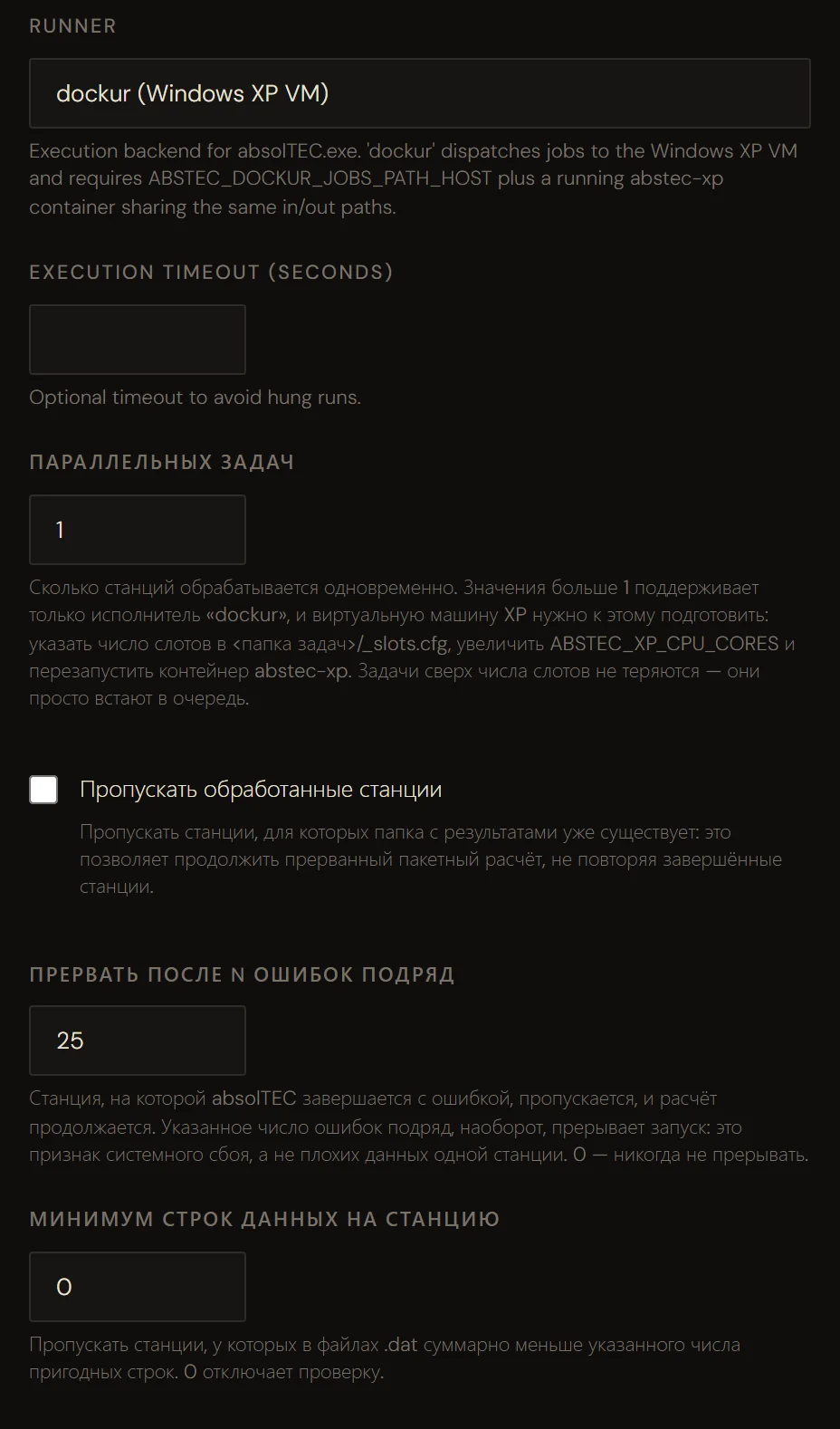
Batch runs gained settings for failures. A station on which the program exits with an error is skipped, and the computation goes on. But 25 failures in a row stop the run: that is a sign of a system fault, not of bad data at one station. An interrupted batch can be resumed, skipping the stations that already have results.
Deployment without manual steps
Every change to the main branch goes through tests and linters in CI, and once the tests pass, the images of the hub and the data indexer are built. The images are published tagged with the commit. On the server, Watchtower picks them up: by default it checks every five minutes whether a new image is out and restarts the labelled containers.
When builds deploy themselves, the question “what is running now” has to be answered by the interface. So the dashboard now shows the version — the same commit the image is tagged with — and the build time, in the viewer’s time zone. With automatic deployment, the build time is the time of the last update.
This path also revealed a build error. The pages load htmx, Plotly and the fonts from the application’s own folder, so that browsers inside a private network need no internet access. But that folder was not kept in the repository, and no build step filled it, so images from CI served pages without them. Now a separate build stage downloads these files, checks the scripts against SHA-256 hashes and verifies that the font stylesheets point only at Google Fonts WOFF2 files. Any download failure stops the build instead of shipping a broken image.
Access and the audit log
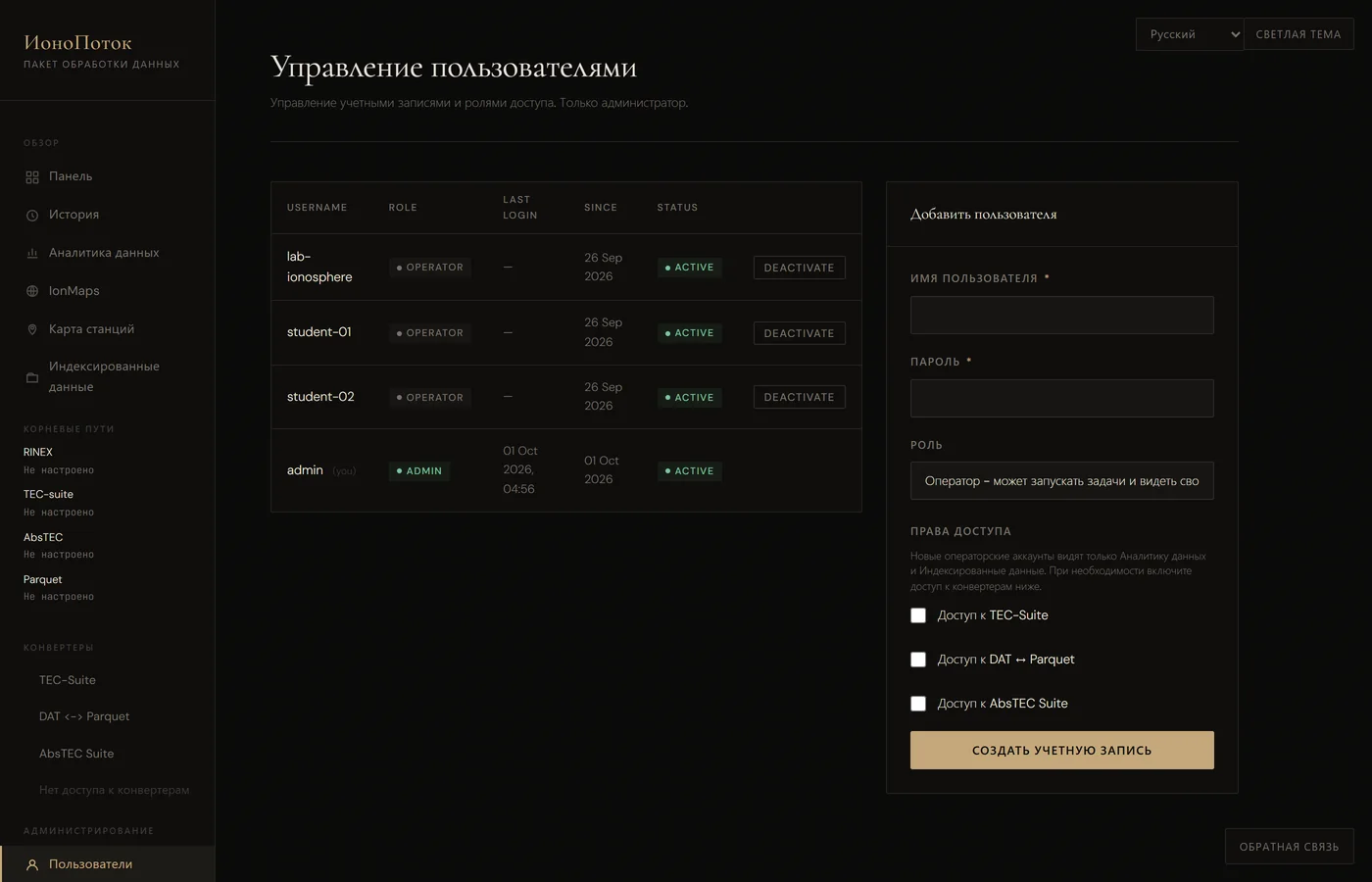
Users have roles — administrator and operator — and each account has its own permissions: for pages and for each converter. A new account sees only the overview pages by default — analytics, the stations map and the indexed data; access to converters is granted one at a time.
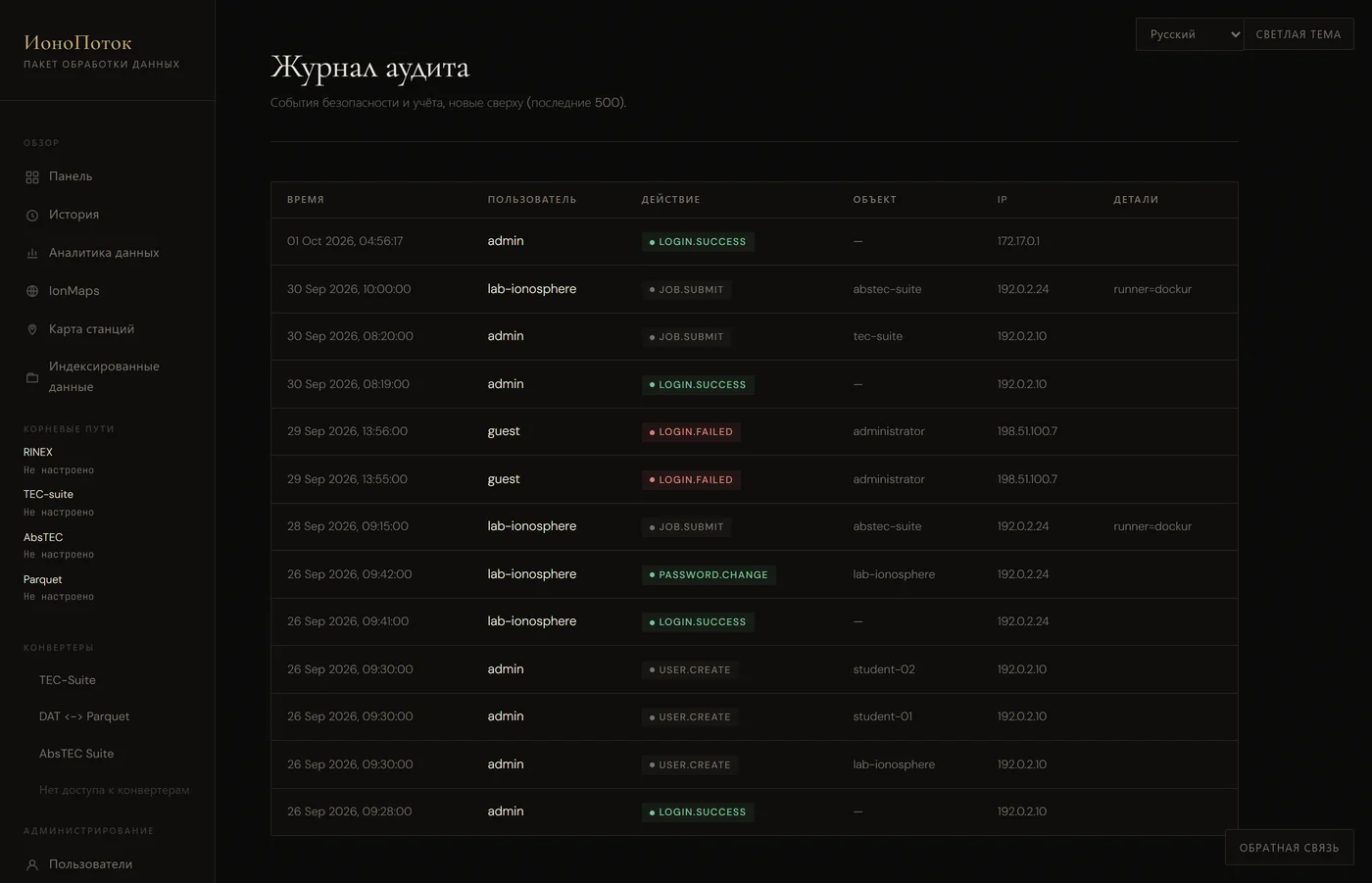
Over the summer a layer of protection was added. In strict mode, which the Docker Compose configuration enables, the hub refuses to start with a weak session signing key; without it, it generates a random temporary key instead of a known placeholder. An administrator with the default password must change it at the first sign-in. Sign-in attempts are limited to eight in five minutes. A request-origin check against CSRF and security headers were added. The hub’s access to Docker can be narrowed: an additional configuration file puts a proxy in front of the Docker socket that lets through only the API groups the hub needs. And every sign-in, failed ones included, account creation, password changes and job submissions are written to a log that the application never modifies or deletes.
A code review
The last day of September went into a review. Findings from a review made on a separate refactoring branch were rechecked against the current code, and those still valid were ported. Among them:
- job error fragments echoed values typed into the form and exception text without escaping — now everything is escaped in one place;
- the proxy to the analytics service forwarded the hub’s session cookie to it — it no longer does;
- the data indexer has no authentication of its own, so it now accepts only paths inside the configured data directories;
- the startup indexing ran a blocking filesystem walk right on the event loop, and while it ran not even
/healthanswered. It also turned out that the documented value of the startup setting was not recognised, and indexing was silently skipped. Now the walk runs in a separate thread, and both values work; - a change in a directory reset the cache of only the data type that happened to notice it first, and a change arriving during a scan was lost. Now every directory has a change counter, and every cache remembers which generation it has seen.
The linters found 296 ruff findings and 21 ESLint findings; they are now fixed, and the linters run in CI together with mypy. Almost everything was mechanical, but one finding turned out to be a real bug: the map rendering module registers fonts at import time and logs through an object defined further down the file. A font that failed to register would have raised NameError instead of a log entry.
About 3,700 lines of scripts and styles moved out of page templates into static files that both the linter and the browser cache can see. Behaviour was not supposed to change at all, and this was checked directly: on all six affected pages, in both languages, the page tree after loading, the computed styles and the state after cycling every drop-down and checkbox were compared. The versions before and after matched.
Conclusions
- A job’s state must outlive the process that displays it: events are first written to the database, and only then served to the browser.
- “Stopped” and “failed” are different statuses. If a status misnames the cause, the run history turns into noise.
- A legacy program is more reliably run on its native platform. A KVM container makes Windows XP just another service, but the program’s own assumptions — such as folder names from four characters — have to be handled in the surrounding code.
- With automatic deployment, the version and build time on the dashboard answer “what is running” without logging in to the server.
- Among hundreds of mechanical findings from linters and reviews there are real bugs — which is why they are worth working through in full rather than switching off.
Availability
The orchestrator’s source code is open; the README describes the settings, running with Docker Compose and the methodology of the maps module.
- Source code: github.com/nikita-konkin/ict-hub
Tags
More project updates
ICT: A Week of Map Animation in a Minute, a Stations Map on OpenStreetMap and What Stood in the Browser's Way
An animation of ionospheric maps for a week took 18 minutes to build and was cut off at the proxy. Now days load and frames are drawn in parallel processes in the background — t...
ICT: from slant TEC to ionosphere maps — the IonMaps method
How the IonMaps module in ICT turns TEC-suite parquet output into regional maps of vertical total electron content: VTEC restoration from slant TEC, interpolation (linear, krigi...